






Worksheet A:
Fathom
AI Tools Hands-On Exercise: Worksheet A
Fathom is an AI notetaking tool that records meetings with permission and transcribes them. Settings change, so follow them as best you can. Please feel free to request additional support to explore this exercise.
Objective: Hands-on experience with an AI meeting tool. Estimated 10–20 minutes.
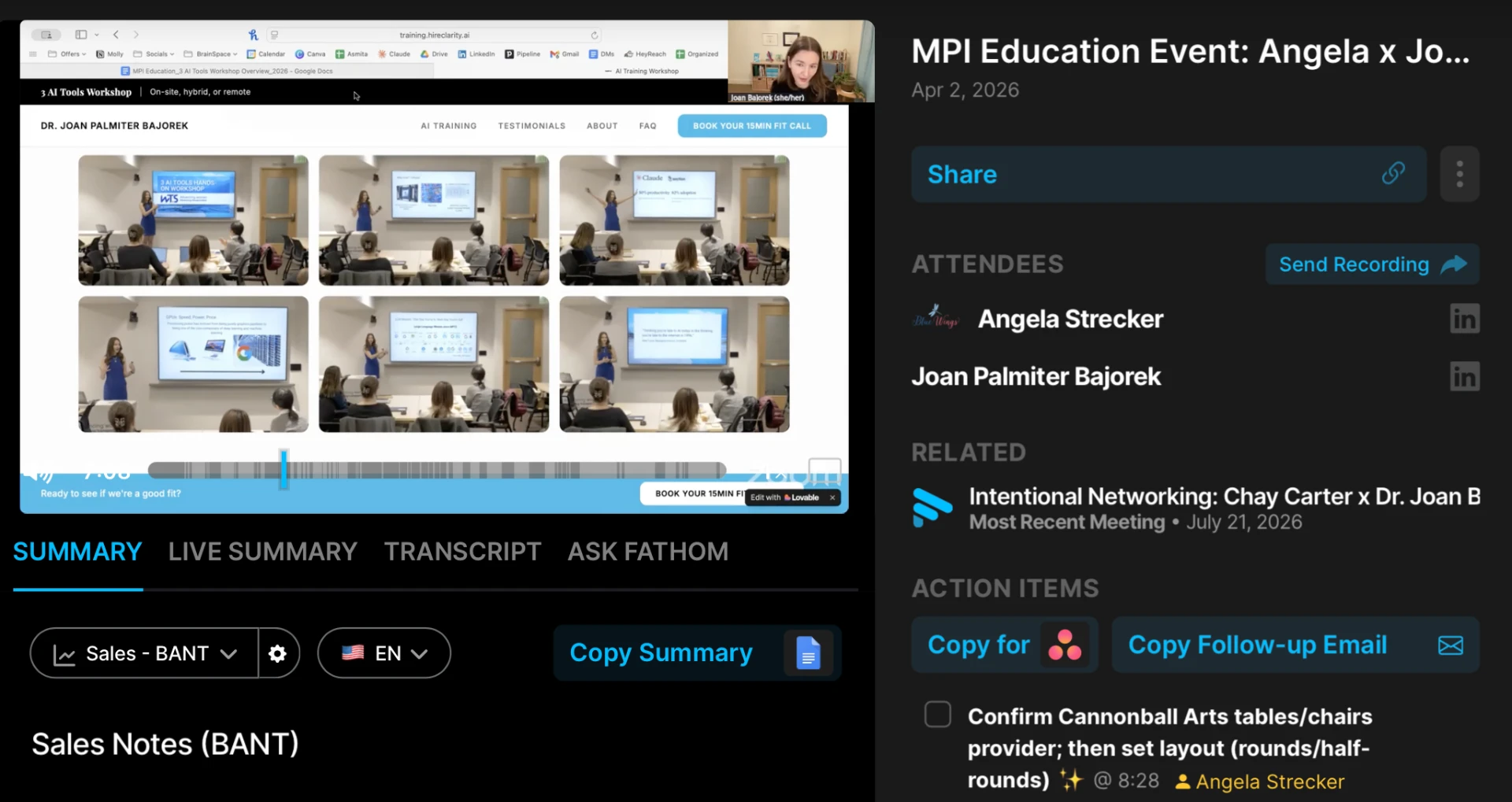
Task 1: Explore a Fathom Recording
- 1.Congrats! You're in the right section of the page!
- 2.Click “Meeting Recording.” This is a pre-recorded meeting we are using with permission.Meeting Recording
- 3.Mute your speakers to not bother others. The video might autoplay!
- 4.Hover over the video timeline (the long gray bar under the video) and watch parts of the meeting recording back. Note that you can see the video, hear the audio, and view the transcript.
- 5.Click “Transcript” to see the full transcript. Notice that you can “Copy Transcript.”
- 6.Search in the transcript for “paper” and see what was discussed.
- 7.Notice that there’s an action item about confirming speaker payment after the paper section.
- 8.Review action items on the right-hand side.
- 9.Click the top-right button “Copy the follow-up email” and paste it into your email to see what it says.
Task 2: Make Your Own Fathom Account (Optional, Free)
- 1.You're in the right section, congrats!
- 2.Click “Set Up Your Own Fathom.” Fathom has committed to always having a free tier, with great features on the paid tiers.
Task 3: Reflect
- 1.Your Work: Think about a recent meeting with tons of details for product and project work. Could Fathom have helped you be more present? How could it have been helpful with details?
- 2.Time: How much time do you estimate you work on meeting notes and follow-ups per week? Would using a tool like Fathom reduce that time? What would you do with the time saved?
- 3.Issues: What are issues with using AI notetakers? Is the risk worth the benefit if used correctly?
- 4.Followups: Fathom generates follow-up emails and action items. Would this be helpful for you?
- 5.Usage: Do you think this tool could be helpful at work? Why or why not?